


for Desktop
for Mobile
Have you ever fallen behind in a meeting while searching for unfamiliar technical terms? KageMee provides real-time explanations and context, so you can stay focused and follow the discussion with confidence.
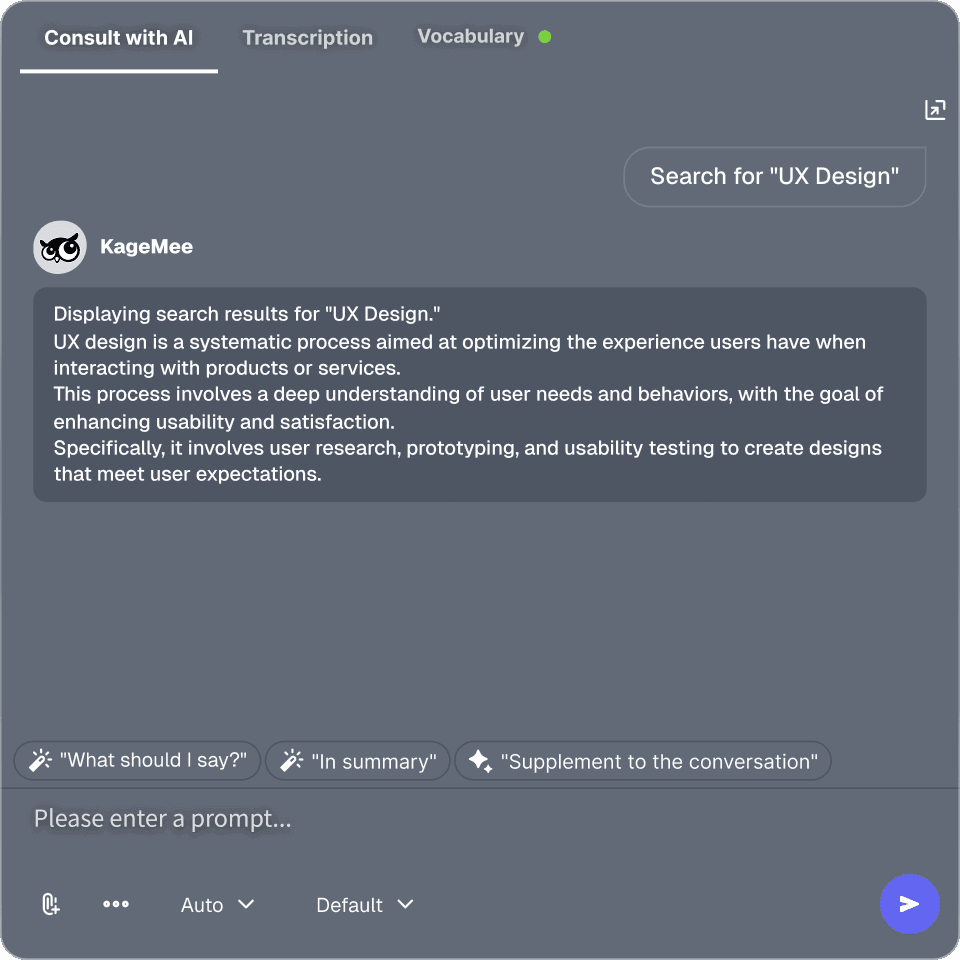
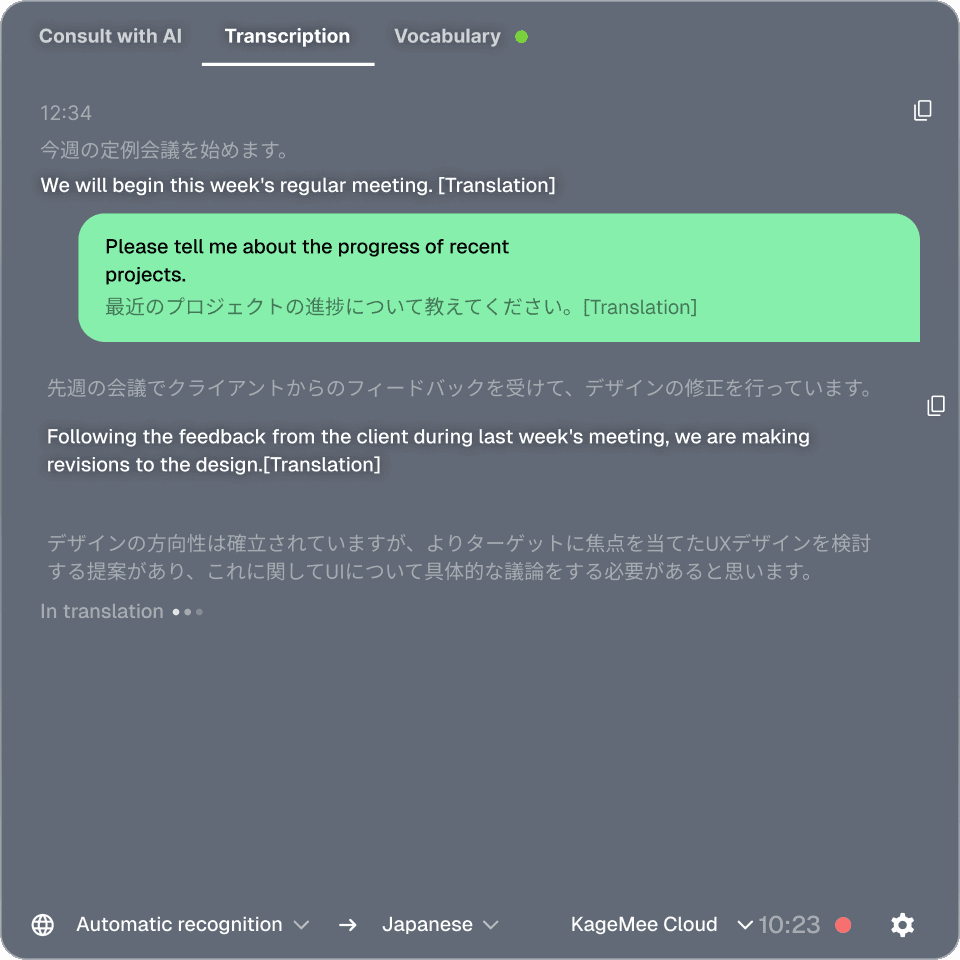

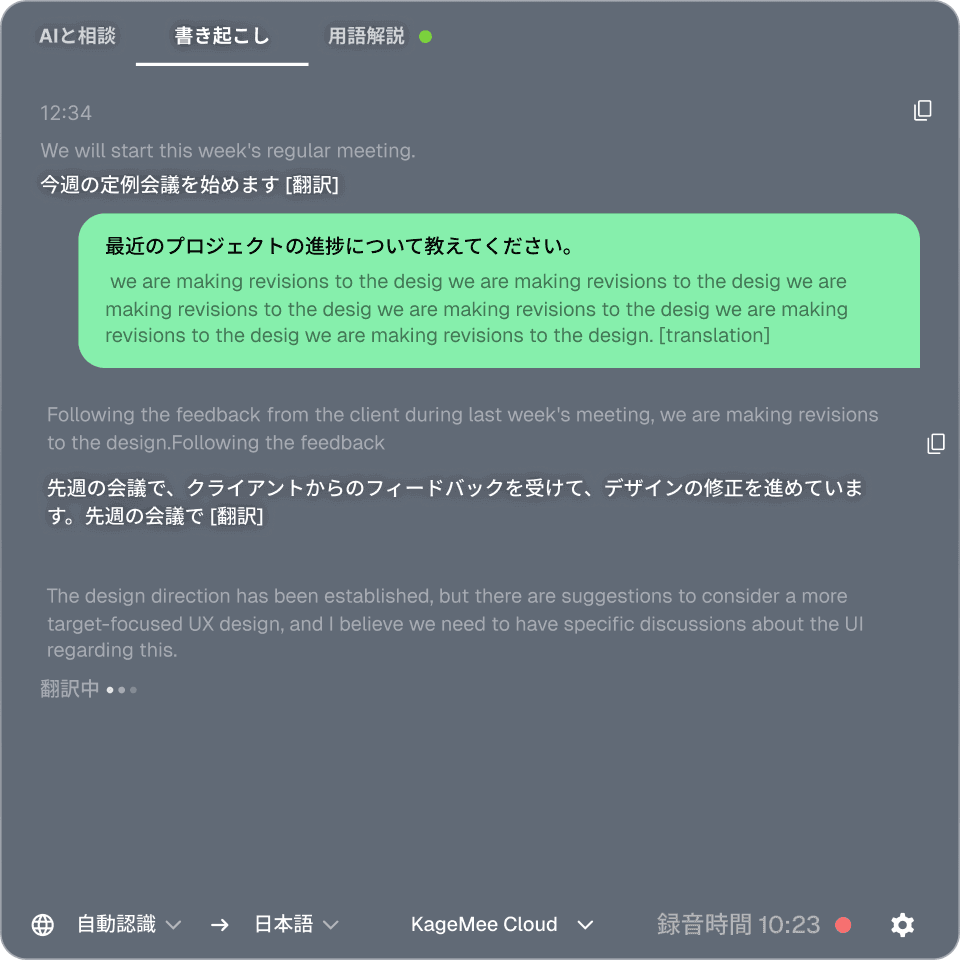

Launch KageMee only when you need it—without interrupting screen sharing or your workflow.


Hold smooth, productive meetings with global teams and business partners—without worrying about language barriers.

Ready for Unplanned Meetings.
Capture and revisit spontaneous in-person meetings, so important discussions are never lost.
Local Models, Too
Transcription and translation can run on local models. Turn off cloud sync, and your audio is saved on your PC.
Highly secure
Always protect your meetings with the latest security.
Invisible During Screen Sharing.
Hide KageMee from Zoom and Google Meet screen sharing whenever you need a distraction-free presentation.
Display Live Captions on Screen.
Share KageMee during meetings to display live captions, translations, and technical term explanations for everyone.
Mobile App Coming Soon
Bring KageMee wherever you work. Our mobile app is coming soon.
→Learn More About the Mobile App
Convenient features for getting through meetings
Translation
feature
Glossary
AI chat


Features
Free
Free
Perfect for getting started
¥0
/month
Get 300 free credits when you sign up
Unlimited local transcription and translation
AI summaries, AI chat, and term explanations (credit-based)
Receive 3,000 credits every month
Unlimited local transcription and translation
Access to all AI features
Recommended
Permission Management
Credit Management
Dedicated support
Custom options
What is KageMee?
KageMee is an AI meeting assistant that supports online and in-person meetings in real time. It provides real-time transcription, translation, technical term explanations, and AI-powered meeting assistance. It can also be used as an always-on voice input tool with virtually any application.
What kinds of meetings can it be used for?
KageMee can be used in a wide range of business settings, including internal meetings, customer discussions, one-on-one meetings, interviews, workshops, and team reviews.
Does it support both online and in-person meetings?
Yes. KageMee works with online meeting platforms such as Zoom, Google Meet, and Microsoft Teams. It can also transcribe and assist with in-person meetings using microphone input.
Which Audio Sources Are Transcribed?
KageMee transcribes both microphone input and audio played through your computer. Even if your microphone is muted in your meeting app, the other participants' voices can still be transcribed.
Do I Need Admin Permissions for Zoom or Other Meeting Apps?
No. KageMee runs locally on your computer without adding a bot to your meetings. It works independently of your meeting platform and doesn't require any special permissions or administrator access.
How accurate is transcription, and how much latency is there?
KageMee supports 60+ languages, including Japanese, English, Chinese, Korean, and Spanish.
How accurate is transcription, and how much latency is there?
Real-time transcription typically appears within 200 milliseconds. Japanese speech is recognized with near-native accuracy, and multilingual meetings are supported through automatic language detection. Speaker separation is also supported. *Recognition accuracy may vary depending on microphone quality, background noise, network conditions, and overlapping speech.
Which Operating Systems Does KageMee Support?
KageMee is available as a desktop application for Windows and macOS (Intel and Apple Silicon). Simply download the installer that matches your operating system from our download page.
Can I Use KageMee on a Corporate Network or Behind a Proxy?
Yes. However, in environments where network communication is restricted by a proxy or security software, transcription may not start properly. If this happens, please contact your IT administrator or reach out to us through our contact form.
Can I Use KageMee Completely Offline?
Yes. While cloud models provide higher accuracy, KageMee's local models allow transcription and translation even without an internet connection or login. Please note that AI-powered features such as summaries, AI Chat, and technical term explanations require a cloud connection and are not available in offline mode.
What can I do with the free plan?
The Free plan includes unlimited local transcription and translation. AI-powered features such as summaries, chat, and technical term explanations are available using credits.
What Are Credits?
Credits are consumed when using AI-powered features such as AI Summaries, AI Chat, and Technical Term Explanations. Local transcription and translation using the local model do not consume credits and can be used without limits.
How Many Credits Does KageMee Use?
Credit usage depends on the length of your meeting and the AI features you use. As a general guideline, a typical one-hour meeting consumes approximately 20–100 credits. If you only use local transcription and translation, no credits are consumed.

Download



for Desktop
for Mobile
Have you ever fallen behind in a multilingual conversation while checking a translation app?
With KageMee's real-time, two-way translation, you can participate in multilingual conversations as naturally as you would in your native language.


Launch KageMee anytime you need it—without worrying about timing or interrupting the conversation.

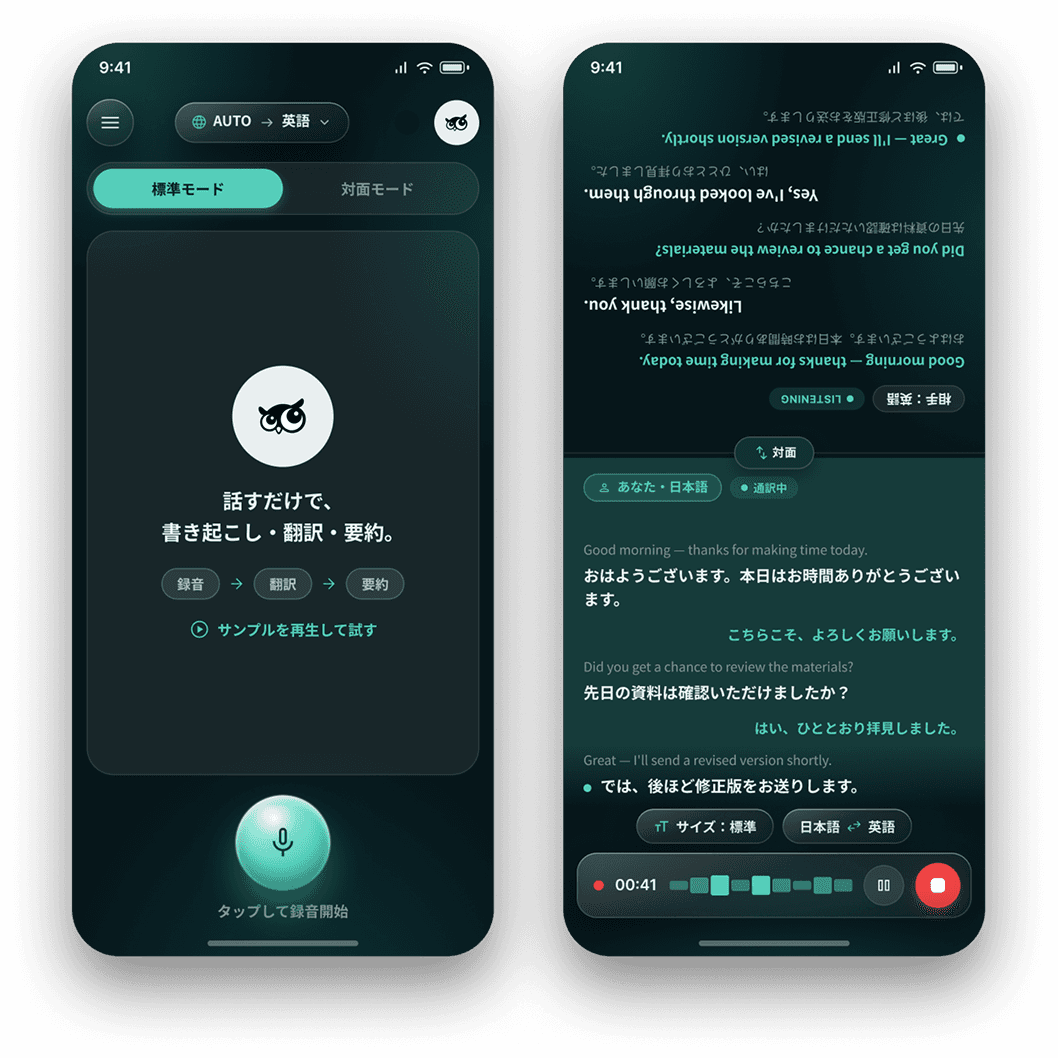

From casual conversations with friends abroad to meetings with business partners, communicate smoothly without worrying about language barriers.
Capture Conversations Right from Your Phone
No PC? No problem. Simply open KageMee on your smartphone and capture conversations whenever you need.
Highly secure
Always protect your meetings with the latest security.
Instant Transcription Across Multiple Languages
Transcribe multilingual conversations in real time with virtually no delay.
Two-Way Simultaneous Translation
Let each person follow the conversation in their own language with real-time, two-way translation.
Start with the Desktop App
The desktop version is available now and works seamlessly for online meetings.
→ Learn More About the Desktop App

Features